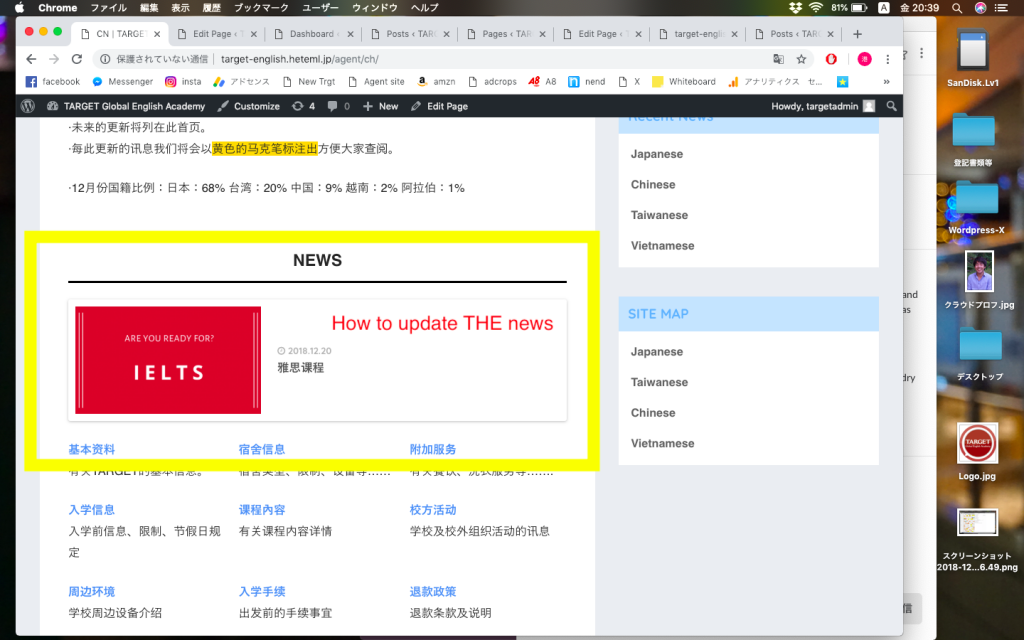
①The way to update NEWS here
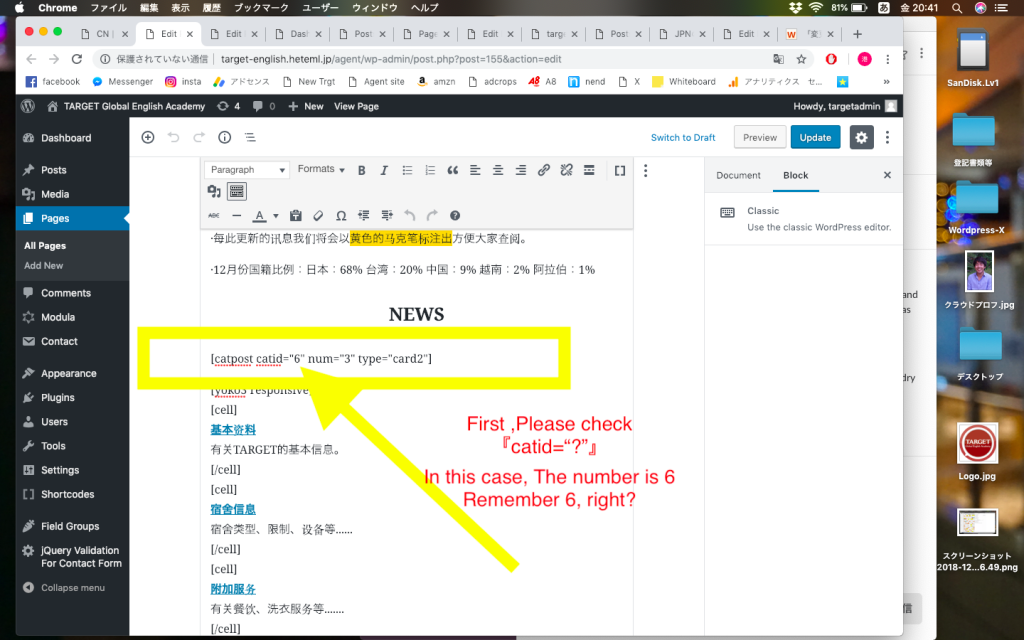
②Open edit page and check the number of catid(in this case, the number is 6)
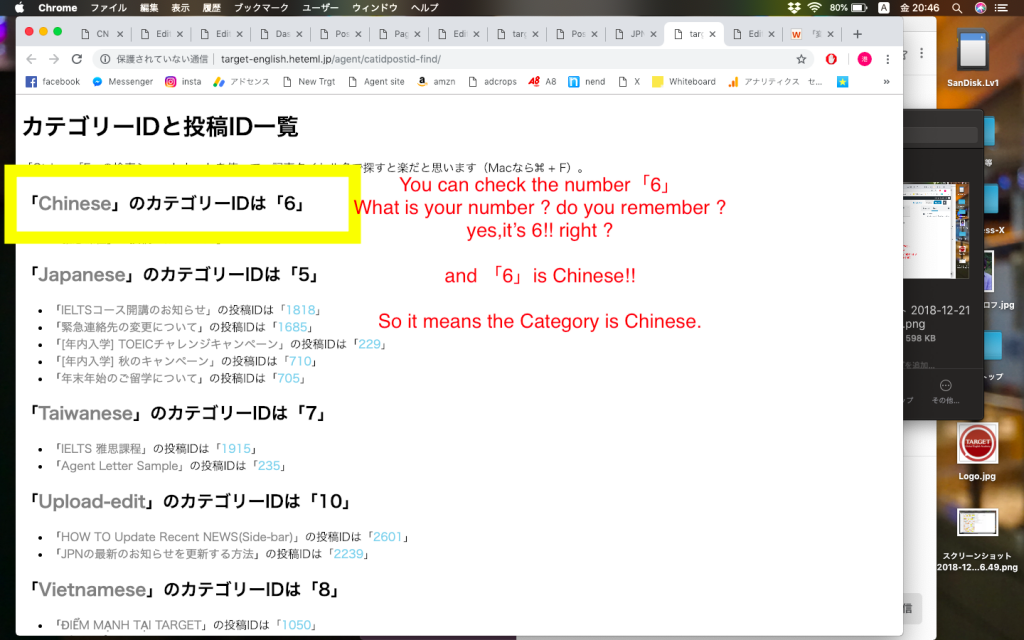
③Click ▶︎catid Checker
and check the number and number’s nationality. In this case, 6 is Chinese
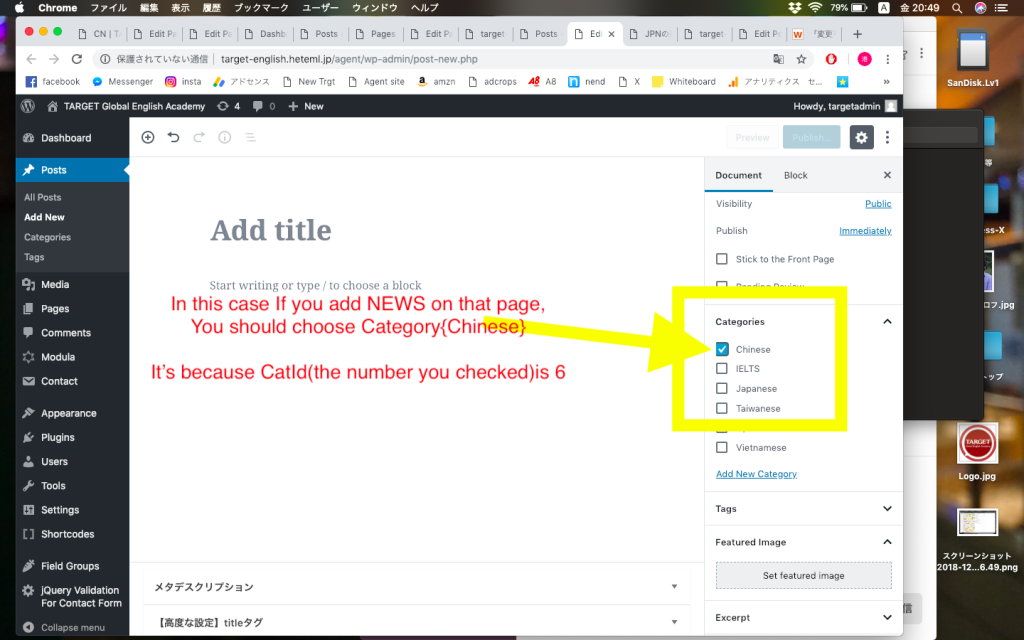
It means You add new NEWS as Chinese Category.
④When you add NEWS, choose the number’s nationality. In this case, you choose Chinese. OK?